
Interactive product presentation: explaining B2B products in an understandable way
- Company
Why do visitors often not understand what they are seeing even when they are standing directly in front of a complex product? This is precisely the problem with traditional product presentations. Particularly in the B2B sector, static displays, linear presentations and isolated exhibits are often no longer sufficient to convey complex functions, dependencies and innovations in an understandable way.
The article shows why classic product presentations quickly reach their limits when it comes to complex industrial and B2B products. It explains what is meant by interactive product presentation in the showroom, how this changes the perception and understanding of products and what role interactive presentation software plays in this.
Why classic product presentations are no longer enough today
Put yourself in the shoes of your target group: you enter a showroom and see products next to analogue displays with information. Everything is actually there - and yet it remains unclear how the individual aspects are connected.
Especially with industrial products, this is not an isolated case, but the rule. Technical systems consist of many functions, variants and dependencies. These are difficult to explain in linear terms.
Traditional forms of presentation are not suitable for this purpose. A presentation forces content into a fixed order. A website separates topics from one another. A physical exhibit always shows only the visible or obvious aspects.
This often leads to a structural problem in traditional industrial showrooms: products are presented but not in an understandable way.
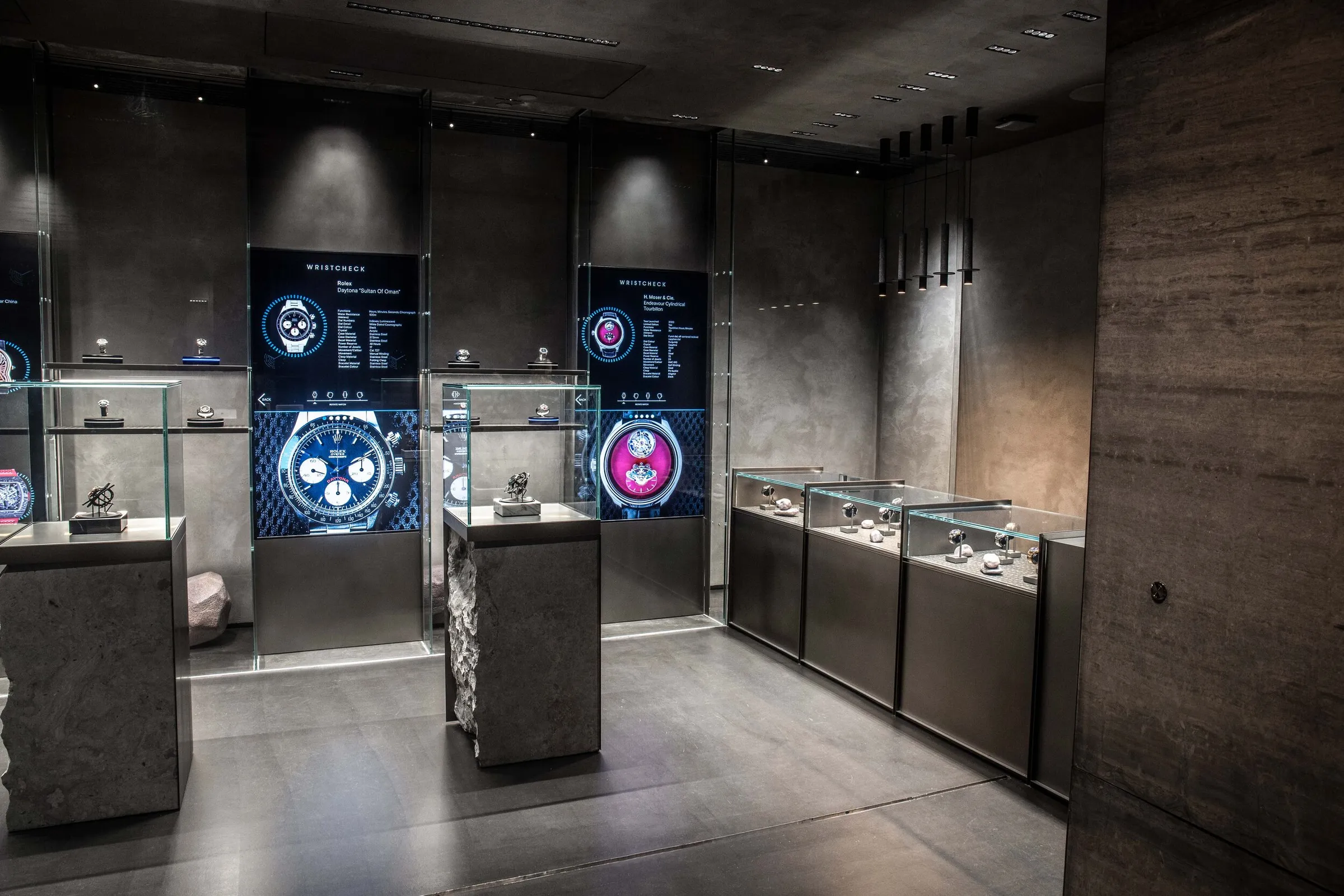
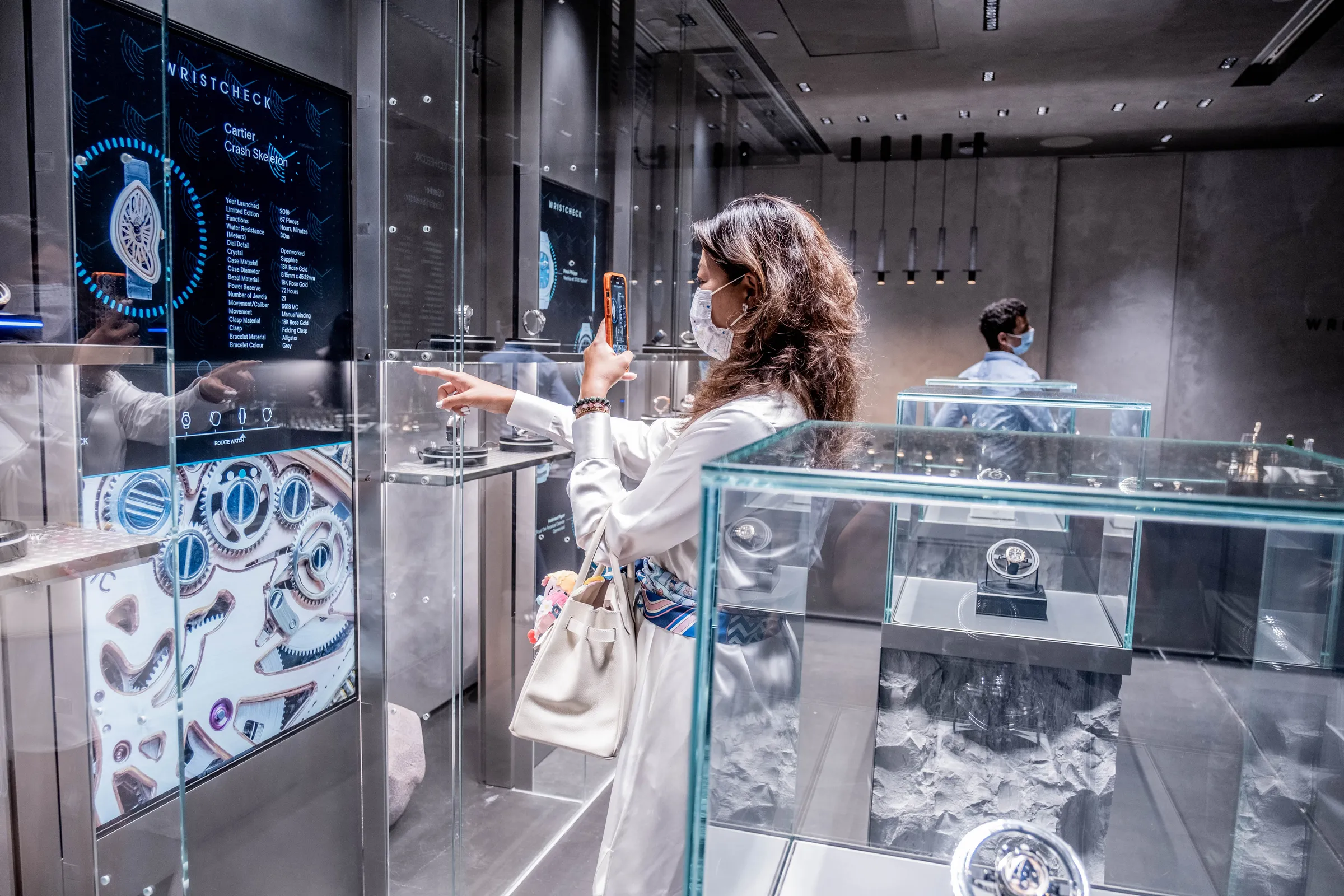
Interactive product display in a watch brand’s showroom. The luxury watches are displayed in showcases and are therefore protected from direct handling. However, customers can still explore them using gesture control via interactive screens and turntables.
What is an interactive presentation?
An interactive product presentation in the sense of a showroom is a permanently installed presentation room in which visitors can explore products independently and together. In contrast to traditional formats, nothing is simply exhibited here. Instead, digital content reacts to interaction, builds on each other and can be experienced in context.
The decisive difference lies in the fact that an interactive presentation does not dictate what is seen one after the other. Instead, a system is created that offers orientation and at the same time allows individualised access. For example, in the form of different languages, customised depth of detail or an emotional introduction adapted to the target group.
An interactive product presentation is all about the interplay of product, space and digital content or software.
Interaction changes the way products are understood
When users can actively intervene, their perception changes fundamentally. A product is then no longer just viewed, but explored and examined. Contexts are not created through explanation, but through action. Functions are not described, but understood.
This form of dialogue leads to a much deeper understanding: information is particularly easily accessible and is better remembered.
Involving the senses: Why experiencing works better than explaining
Complex products cannot be communicated with text and images alone. It is crucial that several senses are involved.
A real object can be viewed and categorised. A digital layer supplements information exactly where it is needed. Interaction in space means that content does not remain abstract, but can be experienced in concrete terms.
The result is not a production in the classic sense. It is a system that builds understanding through perception. This is precisely what is needed to ensure that a product does not stand in isolation, but is embedded in the right context.
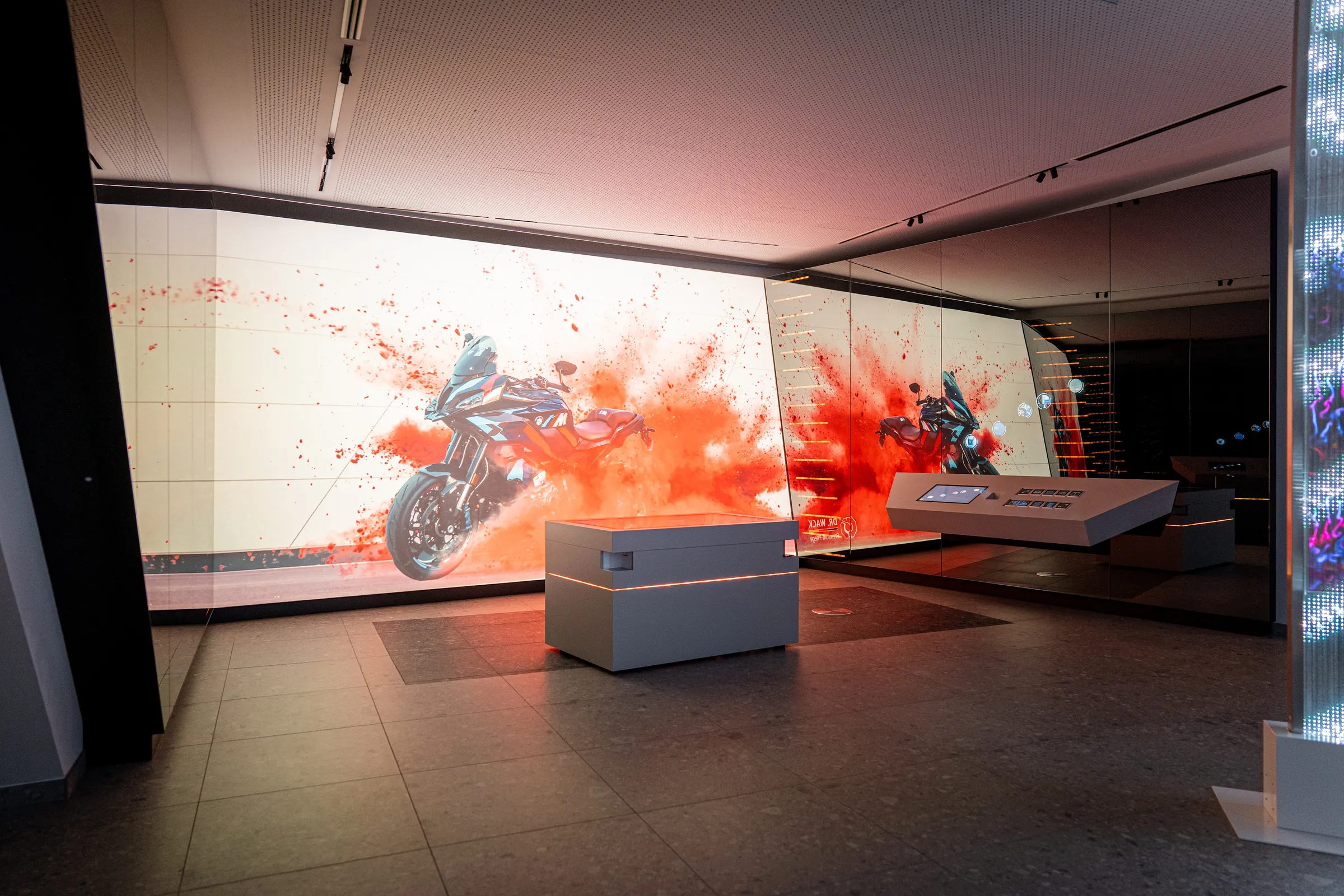
In the Wack Group’s corporate showroom, a multi-touch presentation setup showcases complex products and processes entirely digitally. The setup features an interactive table for product selection and a projection screen.
Examples - What interactive product presentation looks like in practice
Interactive product presentations always arise from the combination of physical product and digital logic.
4 Typical forms of interactive product presentation
- Real products are displayed in an interactive showcase and supplemented with contextual digital content. Using touch or gesture controls, the viewer can also interact directly with the product, for example by rotating it, illuminating it, switching it on, operating it, and so on.
- Products are displayed in an accessible manner and respond to touch or gestures, automatically triggering content on surrounding digital surfaces. Touch can be detected using LIDAR sensors, cameras or electronic sensors.
- Transparent displays combine physical objects and digital information into a single entity. The product can be positioned either in front of or behind the transparent display and be digitally enhanced by it.
- If the physical product is not on display: Digital 3D models can be explored in real time on a multi-touch system and analysed in detail. They can also be configured and modified directly in digital form.
These forms have one thing in common: the user actively intervenes and immediately receives a comprehensible response.
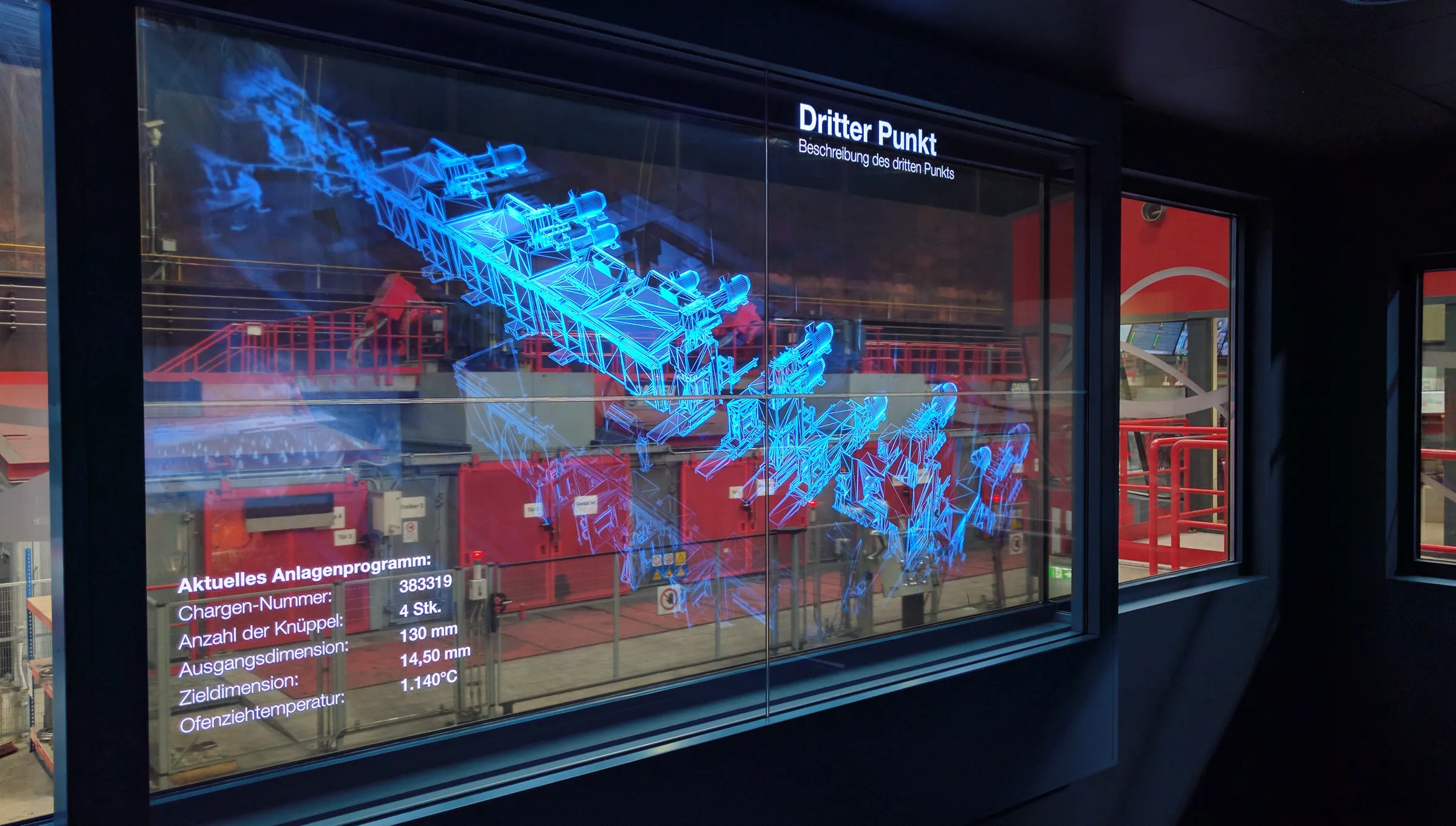
The huge machines in this steel rolling mill are explained and digitally enhanced via transparent screens. Thanks to the appropriate viewing angle, the digital information appears to be positioned spatially in front of the machine visible in the background.
Which products particularly benefit from this
Interactive product presentation is always useful when products cannot be grasped at a glance. This applies in particular to industrial products, technical systems and modular solutions in which functions, variants and interrelationships play a central role.
Digital products such as software can also be visualised in this way - not as an abstract interface, but as a comprehensible system.
The decisive factor is therefore not the shape or size of the product, but its complexity.
Why real-time capability is crucial
The quality of the interaction stands and falls with the reaction speed, i.e. the responsiveness.
Only when systems react immediately is there an understandable connection between action and result. Delays interrupt this connection and weaken perception.
This is why professional solutions are based on native systems that work independently of web technologies and are designed for stable, continuous operation, for example in showrooms.
What interactive product presentation is deliberately not
Some digital approaches appear similar at first glance, but pursue a different goal.
- An interactive product presentation is not a traditional PowerPoint presentation. It is based neither on fixed procedures nor on a predetermined sequence.
- Nor is it a web application. The systems in the room must respond immediately and operate reliably, without any loading times or technical dependencies.
- Even purely virtual solutions (VR) fall short. Without a connection to the actual product and the physical space, the experience remains abstract.
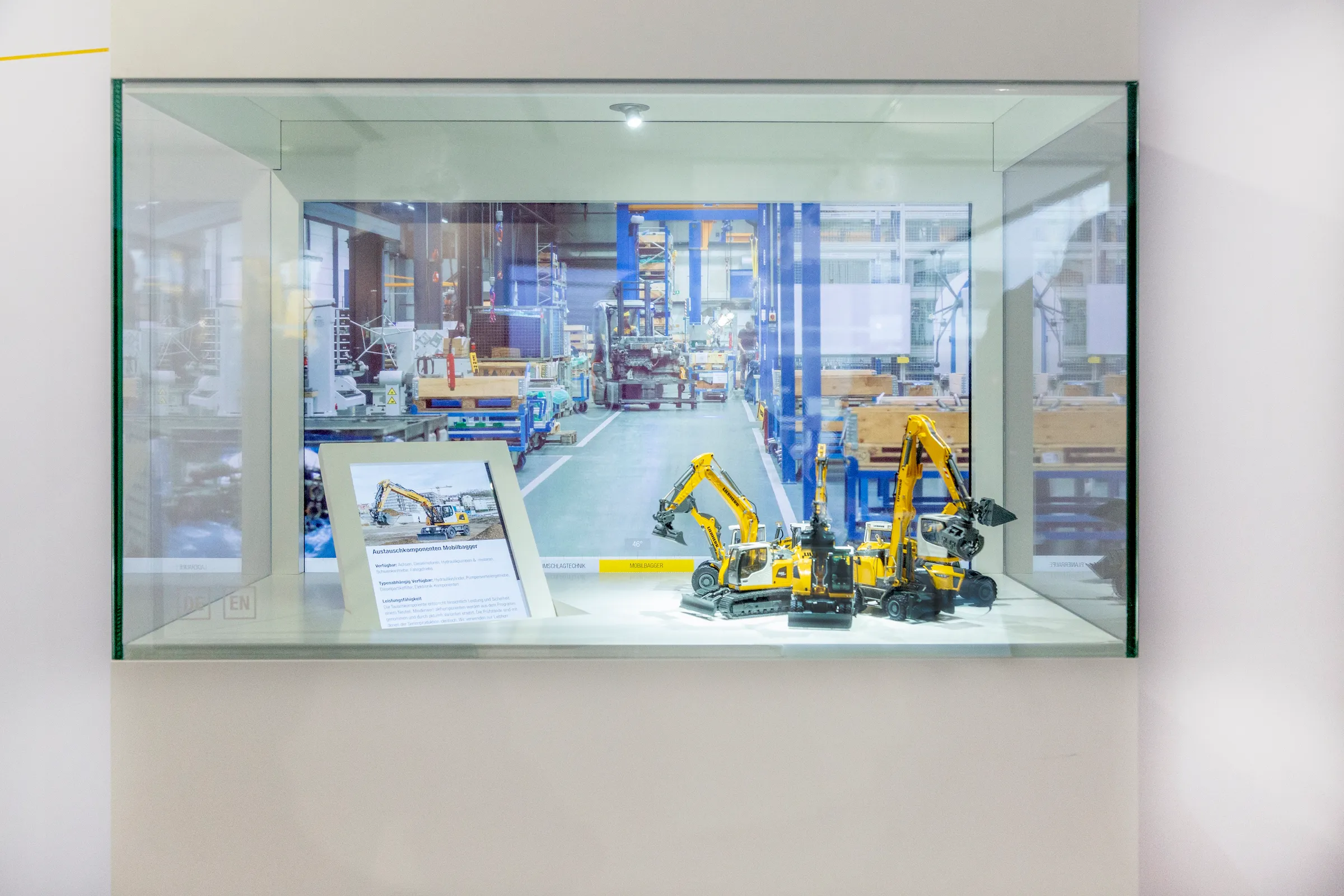
An interactive display case is ideal for showcasing smaller products or models that require further explanation. In this example, the excavator models can be rotated and activated by swiping the display case glass. Depending on the viewing angle, screens display the relevant product information.
Costs, effort and typical project logic
In practice, it is not the number of screens that is decisive for the effort and budget, but the depth of interaction. For example, a simple digital product explanation on a single touch system is completely different from a presentation in which physical exhibits, sensor technology, displays and flexible content work together. The actual effort is usually incurred in the following four areas:
- structuring the content of complex products,
- development of the interaction logic,
- customised software and CMS,
- technical integration in the room.
As soon as a presentation tool not only plays content linearly, but also reacts to touch, gestures, object selection or product states, the costs for design, software and testing increase significantly. What's more, a permanently installed solution must not only function reliably in the demo moment, but also in daily operation. This is precisely why topics such as maintenance, fallback behaviour, remote access and CMS maintenance should be included in the planning right from the start.
Best practices and typical mistakes during implementation
Interactive product presentations work well if they are designed with a specific usage scenario in mind. A sales room requires different processes than an executive briefing centre, a visitor centre or a showroom for international delegations. For this reason, the products to be presented, the target groups and the necessary opportunities for orientation, in-depth study and comparison should be clearly defined at the outset. A typical mistake is to talk about the hardware too early. For example, a large display, a transparent OLED or an interactive showcase is specified first and only then is the actual story to be told considered. Equally problematic are overloaded interfaces, missing entry points or too many simultaneous interaction offers. If visitors do not understand within a few seconds what they can do and what reaction their action triggers, the connection between product and explanation is broken. Good solutions therefore deliberately reduce complexity on the surface, even though they are technically highly complex in the background: There are clear starting points, clear user guidance, different depths of information for different target groups and a reaction in real time that makes it immediately understandable why exactly this information is appearing now.
The showroom as a central location
Interactive product presentations are most effective in a deliberately designed and optimised environment. In the showroom, it becomes part of presentations, discussions and decision-making processes. Visitors can explore content at their own pace while maintaining a clear structure. This makes the space not only more informative, but also more functional. It actively helps people to understand products.
Conclusion: When products need to be understandable
Interactive product presentation is not a visual upgrade of existing formats. It should be designed and planned as such from the outset. Then it changes the way content is accessed.
It is not the amount of information that is decisive, but its structure and its tangibility.
Or to put it another way: It is not the product that is shown. Rather, the way to understand it is designed.
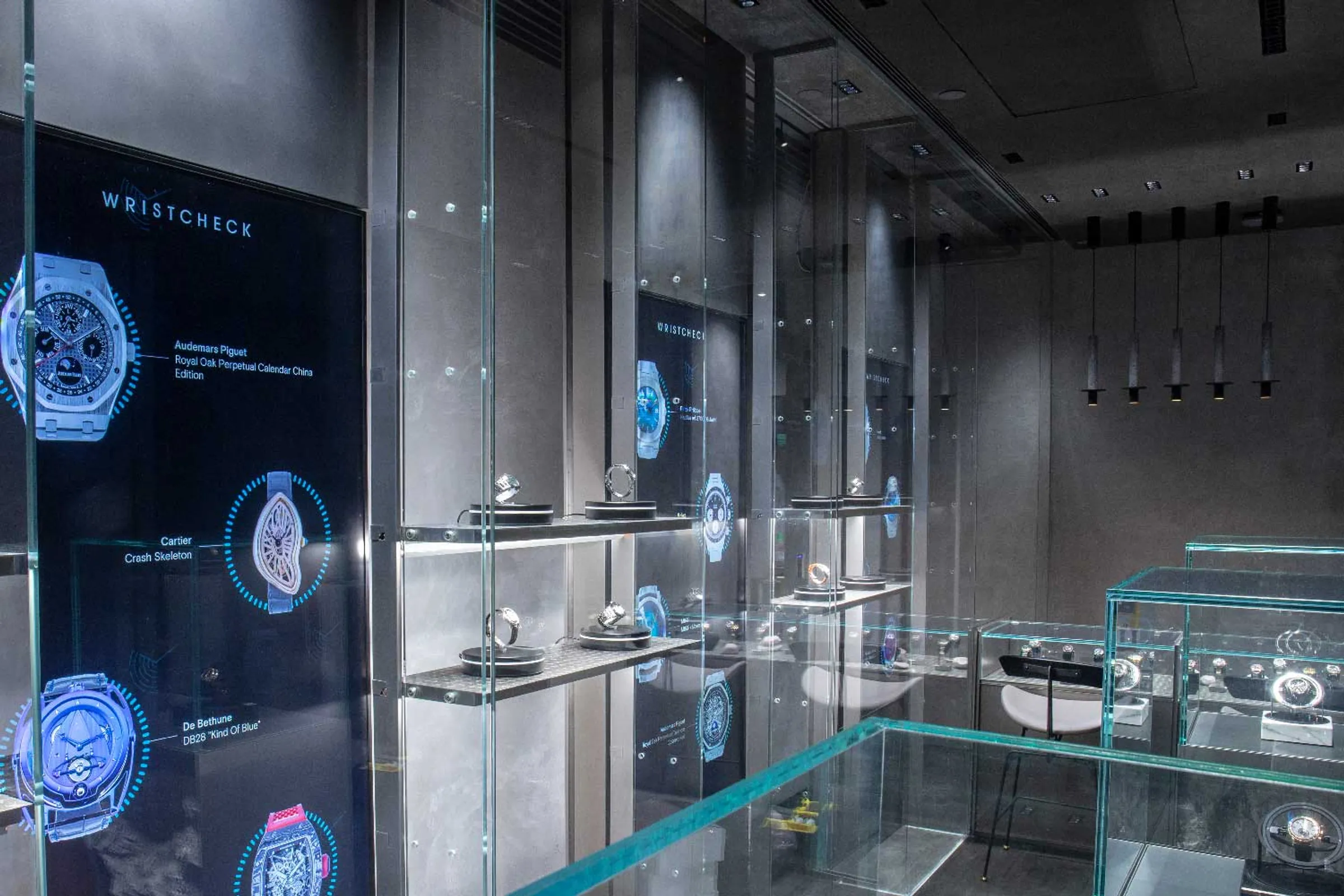
Products are displayed on turntables in this interactive shop window. When customers point to a turntable, it is activated. Using gesture control, they can turn the product and view it from all sides, while additional information is displayed on the adjacent monitors.
FAQ on the interactive product presentation
What is an interactive product presentation?
An interactive product presentation is a form of product presentation in which users can actively intervene in the presentation so that content, displays or functions vary or adapt in response to their actions.
In contrast to static presentations, it is not based on a fixed sequence of information, but enables a non-linear, user-driven engagement with a product. Visual, functional or structural aspects of a product can be explored.
The aim of an interactive product presentation is to promote understanding by allowing users not only to absorb content but also to comprehend it through their own interaction.
For which products does this make sense?
This approach is particularly suitable for industrial products and technical systems in which functions, variants and interrelationships play a central role.
What is the difference to a classic presentation?
Traditional presentations have a linear structure. Interactive product presentations enable free, user-guided exploration and make connections directly comprehensible.
What role does technology play?
Interactive technology such as sensors, software and hardware must react in real time and be designed for continuous operation. That is why we do not use web solutions, but native systems without external dependencies.
Can digital products also be displayed?
Yes, even complex software systems can be visualised interactively by making functions, relationships and structures visible and comprehensible.