
Multitouch table – Defining the hardware
- Multitouch
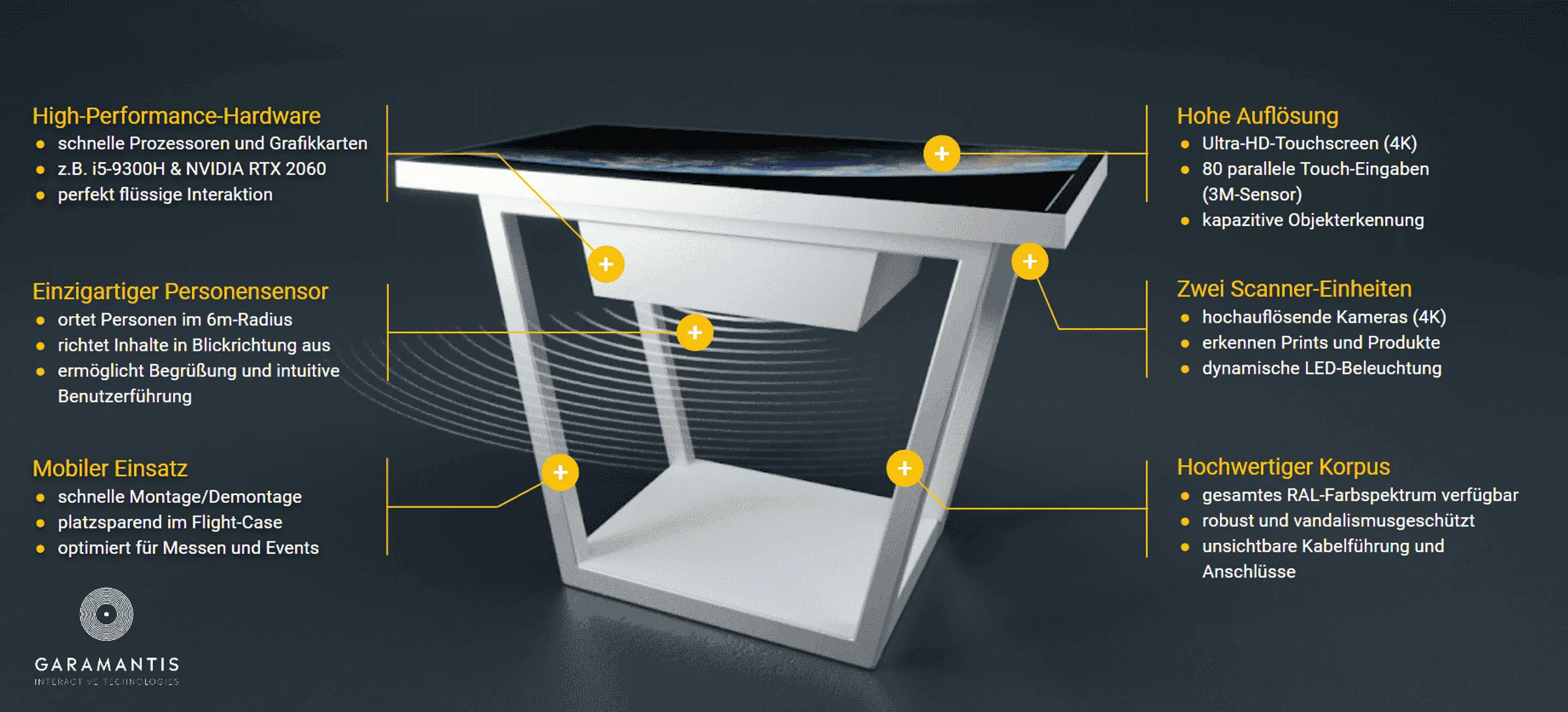
Hardware checklist for a multi-touch table:
- Screen resolution: You want to display a lot on your desk, but you certainly don’t want any visible pixels. That’s why an Ultra HD resolution is essential for screens 43 inches or larger.
- Screen and table size: How many users are expected to be seated around the table, and how many will be actively interacting?
- Multitouch technology: PCAP, infrared and optical methods have different requirements and areas of application. The specific surface, lighting conditions, operation, installation situation and number of concurrent users are all crucial factors. Test the user experience on the intended system. A high number of touch points alone does not guarantee either good multi-user functionality or reliable object recognition.
- Object recognition:First, determine which objects are to be used and what action they should trigger. Capacitive markers,for example, are suitable for direct operation on the touch surface. Optical scanning solutions can detect suitable printed media or match them to known templates. RFID readers identify pre-prepared products via attached tags. Use real-world samples to test which combination of sensors, objects and software reliably fulfils the task.
- Design: At the very least, the colour – but also the material and design – should ensure that the table appropriately reflects your company and its corporate identity. Ask about options for reversible branding and concealed cable management!
- Build quality: With components designed for 24/7 continuous operation, you’ll be well-equipped for any application. Robust hardware is essential, particularly for transport and trade fair use. Also, make sure to enquire about the table’s stability when tilted and its fire safety rating!
- Vandal-proofing: If the table is to be operated without supervision, protected sockets and switches are essential.
- Mobility: How easy is it to assemble and transport the table? What set-up times should you expect? What types of transport boxes or flight cases are available?
- Integrated PC: For visually appealing effects and future-proofing, we recommend a high-performance gaming PC with a dedicated graphics card and an SSD. Please note: Mini-PCs integrated into the screen are generally unable to guarantee smooth multi-user interaction at high resolutions.
- Maintainability: The table’s modular design, using standard components, allows individual components to be replaced and ensures long-term use.
- Warranty: How comprehensive is the statutory warranty, and to what extent does the supplier’s warranty extend beyond this?
Tip: The 55-inch size is considered particularly comfortable and ‘natural’. Thanks to its excellent value for money, this size is currently the standard for most multi-touch tables:
- 43-inch, 1.08 m diagonal: suitable for 1 to 2 active users
- 55-inch, 1.39 m diagonal: 2 to 4 users
- 65-inch, 1.64 m diagonal: 4 to 6 users
Tip: If possible, check the quality of your preferred multi-touch table for yourself before buying. This is the only way you can properly assess the surface finish, build quality and responsiveness of the touchscreen. When you stand in front of the table, you’ll immediately get a feel for whether or not it’s suitable for your purposes.
Recommended reading:
- On resolution and pixel density in multi-touch screens
- Advantages and disadvantages of optical object recognition
- Advantages and disadvantages of capacitive object detection
This blog post is an extract from the comprehensive white paper ‘8 Steps to a Successful Multitouch Table Project’. If you would like to receive a free copy of the white paper, please send an email with the subject line ‘White Paper’ to [email protected].